

YOUR CART IS CURRENTLY EMPTY
VR at trade shows: when headsets help and when they create a queue
Published
Quick answer
VR earns its place on a trade show stand when it shows something you can't bring to the venue: a factory, a site, a full showroom or a procedure. It works against you when the experience is long and the audience is broad, because one headset only serves a handful of people an hour. Before you commit, work out people per hour, staff each headset, plan cleaning between users, allow a clear floor zone, and put the headset view on a big screen so the queue has something to watch.
When VR earns its place on a stand
VR lets a visitor stand inside something you could never truck into a convention centre. The strongest uses are the ones we described when we first wrote about this in 2018:
- A virtual showroom. A furniture or fit-out brand can walk a buyer through a full showroom, letting them move between room sets and look closely at finishes, instead of squeezing three pieces onto a 3 x 3 metre stand.
- Products too big, too heavy or not yet built. Plant and machinery, vehicles, a building before construction, a mine site or a production line.
- Setting the scene for sampling. A short 360-degree film of where a product is grown or made, watched while a visitor tastes it, gives the sample a story.
- Hands-on training. For complex products such as medical equipment, a buyer can practise a procedure before they place an order. That builds confidence in the product and gives your sales team a real conversation to follow up.
Our own guide to digital technology for exhibition displays makes the same point: VR can be particularly effective for complex or large-scale products.
VR is a weaker choice when the content is generic (a branded rollercoaster says little about what you sell), when the product is already on the stand and can be handled, or when your goal is volume of leads rather than depth of conversation.
| Use VR when | Choose something else when |
|---|---|
| The product can't physically come to the show | The product is on the stand and people can touch it |
| You want fewer, longer conversations with qualified buyers | You need to capture as many leads as possible |
| The experience runs 2 to 5 minutes | The experience runs 10 minutes or more |
| You have staff for each headset all day | One person is covering the whole stand |
The throughput problem: people per hour
A headset serves one person at a time, and every session has changeover time on top of the content itself: fitting the headset, a short safety briefing, taking it off and cleaning it. Treat that as fixed time per visitor.
The table below is a worked illustration, assuming 2 minutes of changeover per visitor. Use your own content length and test the changeover at your office before the show.
| Experience length | Minutes per visitor (incl. 2 min changeover) | People per hour, 1 station | People per hour, 2 stations | People per hour, 3 stations |
|---|---|---|---|---|
| 3 minutes | 5 | 12 | 24 | 36 |
| 4 minutes | 6 | 10 | 20 | 30 |
| 8 minutes | 10 | 6 | 12 | 18 |
On an illustrative 7-hour show day, one station running 6-minute cycles serves at most 70 people, and only if it never stands idle. The wait is what turns a VR station into a queue problem. Someone joining with 12 people ahead of them, at 2 stations and 6 minutes a visitor, waits about 36 minutes, which is a long time to hold anyone in an aisle.
Ways to keep the numbers workable:
- Cut the content to 2 to 5 minutes. Edit for the one moment that matters, not the full brand film.
- Add stations, not length. Two short sessions beat one long one.
- Book time slots for qualified buyers, and let walk-up visitors watch the big screen instead.
- Capture details while people wait, so the queue produces leads even if someone leaves.
Staffing, hygiene and safety
Plan for one trained staff member per headset for the whole show. Their job is to fit the headset, brief the visitor, watch that they stay inside the clear zone, and clean the equipment before the next person. Add a host who runs the queue and talks to people who are watching. Rotate the headset staff, because it is a tiring role over a full day.
Cleaning between users. HTC's cleaning guide for its standalone VIVE headsets sets out the steps: power off the headset, wash your hands, remove and clean the face cushion, wipe the lenses with a dry microfibre cloth, clean the hard surfaces people touch most with a recommended disinfectant or wipe, then let the headset and controllers air-dry completely. For hygiene, it also recommends disposable covers such as face masks and head caps, before wearing the headset. Because the equipment has to dry, bring a spare headset or spare face cushions so one set can dry while the other is in use. Follow the cleaning instructions for whichever headset you use.
Age limits. Check the age guidance from the maker of your headset, and set a rule for the stand before the show opens. Meta, for example, says users aged 13 and over can use its Quest headsets with a standard account (it notes that ages may differ by country). It allows children aged 10 to 12 only through a parent-managed account on Quest 2 and 3, and says children under 10 cannot use Quest 2 and 3. On a stand, visitors use your headset and your account, so the age rule is yours to set. A simple rule such as "13 and over", matching Meta's standard minimum age, is easy to apply at the queue, with the reason written on a sign.
Safety. Keep the play area clear of furniture and other people, as Meta advises. Seat visitors where the content allows it. Stop a session if someone looks unsteady or uncomfortable, and have a chair close by.
Showing the VR view to the crowd
A person in a headset is not much to look at from the aisle. Show the headset view on a large screen, facing the aisle and set high enough to see over the queue, so passers-by see what the user sees. The screen does three jobs: it draws people in, it gives the queue something to watch, and it lets visitors who won't put on a headset still see the content.
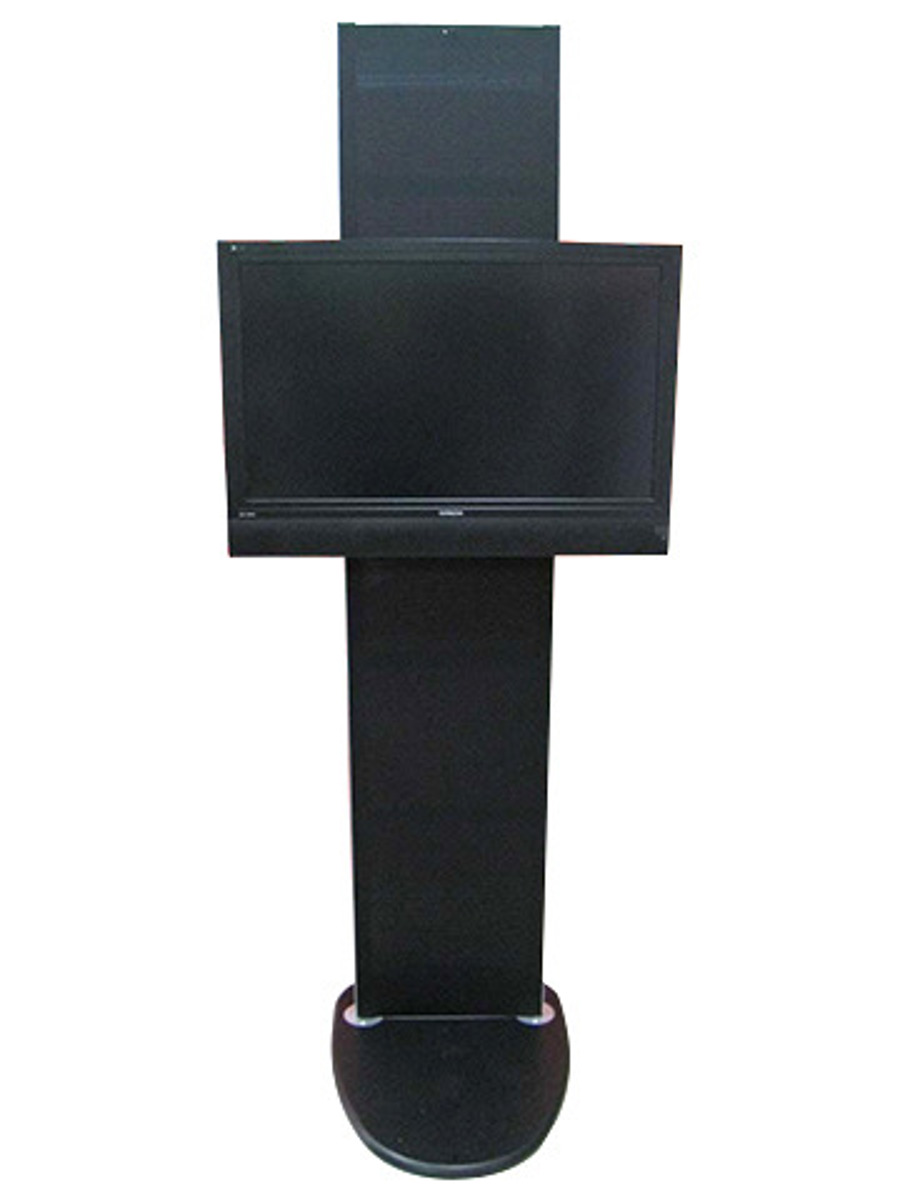
The usual exhibition screen setup, one 55-inch screen on a stand, suits this job well. Our TV 2 Go exhibition TV stand takes LED TVs up to 55 inches (or LCD TVs up to 43 inches), and the whole system weighs 25kg and packs into a wheeled carry case. For larger stands, see our full range of digital displays for trade shows, including LED walls and overhead screens. We can supply the screen and the stand or mount, then load and test the content before bump-in. TV 2 Go is in stock, and all our screens can be hired.
Space and layout for a VR station
Each headset needs its own clear floor zone, and the size depends on how the content is played. Meta's guidance is a good benchmark:
| Mode | Clear space per user |
|---|---|
| Stationary (sitting or standing in one place) | Default boundary of 1m x 1m |
| Roomscale (moving around) | At least 2m x 2m, unobstructed |
On a 3 x 3 metre stand, one roomscale zone of 2m x 2m takes 4 of the 9 square metres, which is close to half the stand. That is why seated or standing-in-place content suits most inline and shell scheme stands, and roomscale experiences belong on larger island spaces.
Layout tips:
- Put the stations at the back or side and the mirror screen at the front, so the queue forms along your frontage and not across the aisle.
- Mark each zone on the floor with a mat or flooring inset, and keep a barrier between the zone and the queue.
- Allow storage for spare headsets, chargers and cleaning supplies, and power for charging all day.
- Check power and the venue rules early. Requirements vary by venue, so tell your stand builder and the organiser what you plan to run.
If you are still deciding the stand size, our exhibitions and events page sets out what changes between a 3 x 3 metre shell scheme and a 6 x 6 metre island.
Alternatives to VR headsets: AR, touchscreens and interactive games
If the numbers don't work, these options give a similar result without the one-person-at-a-time limit:
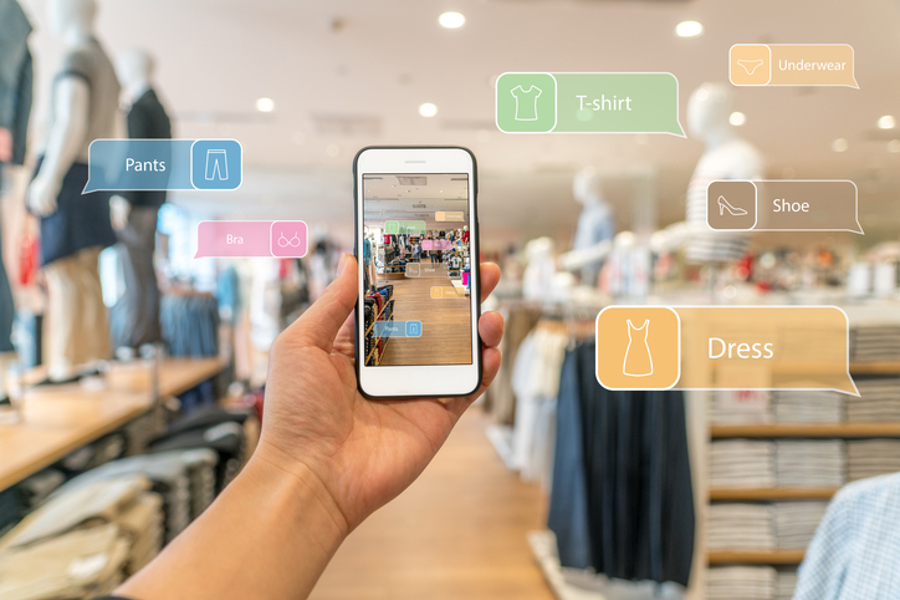
- Augmented reality (AR) on a tablet or phone. Visitors see your product placed in a real space without covering their eyes, and several people can look at the same screen.
- 360-degree video on a large screen. Much of the sense of scale without a headset, watched by a group at once.
- Touchscreens and 3D product configurators. A touchscreen lets visitors browse the range, or rotate and configure a product themselves, and the session ends whenever they want. Our interactive flat panel is built for this kind of self-guided browsing.
- A branded interactive game. We build interactive games from a brief. One example had visitors on a rowing machine or bike competing against Olympic athletes.
Whichever you choose, the technology should support the conversation your staff are there to have. For more ways to hold attention, see how to maximise engagement at your stand.
Next step
Send us your stand plan, the show dates and what your VR content shows. We'll recommend the screens and stand layout that let the whole aisle see it. Call 1300 240 250 or send us an enquiry online.