

YOUR CART IS CURRENTLY EMPTY
AI in event and activation planning: practical uses for brand teams
Quick answer
AI is most useful in event and activation planning for desk work: turning notes into briefs, drafting copy, building run sheets and summarising lead data. On the stand, it works best as a narrow feature such as a product selector, a labelled chatbot or a photo activation, not as the reason people visit. Before any of it touches attendee data, check it against the OAIC's guidance on privacy and commercially available AI products, and have a person check every output before it reaches a client or the public.
Where AI helps in event planning now: briefs, copy, schedules and data
The biggest gains are in the planning office, not on the show floor. Most of an event team's week goes on documents, and that is where general-purpose AI tools save time.
| Task | How AI helps | What a person still checks |
|---|---|---|
| Stand and activation briefs | Turns meeting notes into a structured brief: objectives, audience, dimensions, deadlines | Every number, date and venue rule |
| Copy and graphics wording | Drafts headlines, product blurbs, social posts and staff talking points in several lengths | Brand voice, claims, legal lines |
| Run sheets and schedules | Builds a first-pass bump-in plan, staff roster or session timetable from a list of fixed times | Venue times, freight windows, labour rules |
| Lead follow-up | Groups and summarises lead notes so sales can see who asked for a quote and who took a brochure | Which leads get called, and what is said |
| Post-event reporting | Summarises survey comments and pulls themes from staff debrief notes | The conclusions and the numbers |
Two habits make the output much better. Give the tool your real constraints (stand size, budget range, the venue's bump-in times) rather than asking for "ideas". Ask for a format you can use straight away, such as a table or a checklist.
Keep personal information out of public tools. The Office of the Australian Information Commissioner (OAIC) "recommends that organisations do not enter personal information, and particularly sensitive information, into publicly available generative AI tools". Lead lists, attendee registrations and staff details belong in the systems your organisation has approved.
AI-powered exhibition stands: what works on the stand
"AI-powered" on a stand usually means one of three things. Each sits on hardware you would brief anyway: a touchscreen, a screen wall or a photo setup.
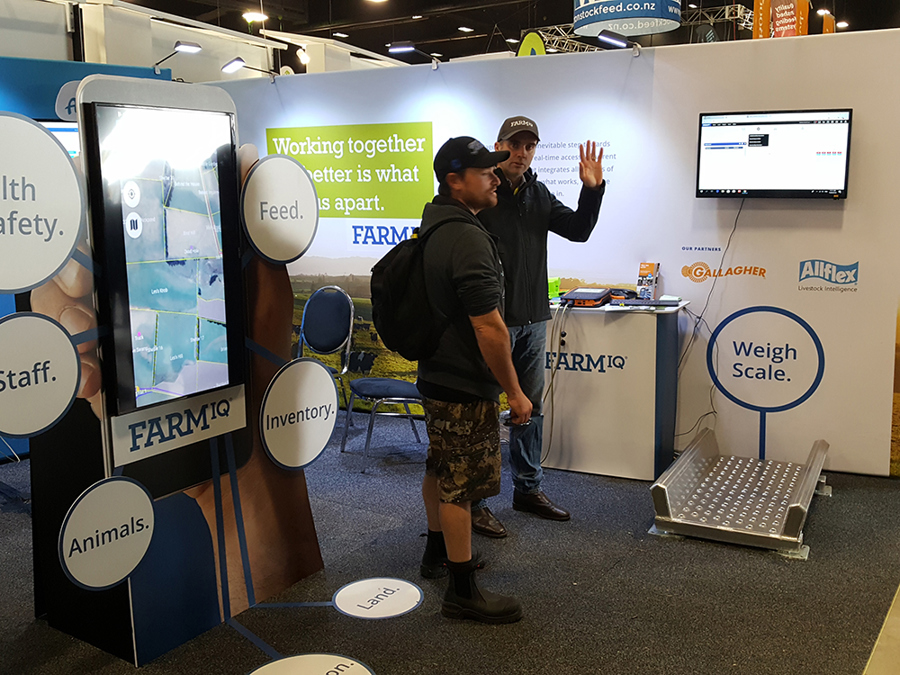
Personalised product selectors. A visitor answers a few questions on a touchscreen and gets a short list of relevant products, then emails themselves the details. The rules behind the recommendations can be simple logic or an AI model. Either way, the visitor cares that the answer is relevant and fast. Our interactive digital kiosk comes in 55-inch or 65-inch sizes, for purchase or hire, and can prompt users to leave their details on screen.
Chat assistants. A chatbot on a kiosk or tablet can answer common product questions while staff are busy. The OAIC says organisations should ensure "any public facing AI tools (such as chatbots) are clearly identified as such to external users such as customers". Label it on screen, and test it with the hard questions your sales team gets before the show.
Generative photo activations. A visitor takes a photo and the software restyles it into a branded scene. These can draw a crowd, but they carry the most privacy and consent questions of the three (see below). A standard photo activation can print on the spot or upload straight to social media, without generating anything.
Screens that change content by time of day, location or audience are useful without any AI. A content management system can swap the message by time of day or day of the week, so the morning crowd and the afternoon crowd see different offers. Our interactive digital displays page covers the hardware and the software that runs on it. For augmented reality, virtual reality and other options, see our guide to digital technologies for exhibitions.
Where AI does not help (yet)
- Physical decisions. Stand structure, weight loads, power, rigging and venue compliance need people who know the venue manual and the build. Treat AI-generated stand concepts as mood boards, not designs.
- Final numbers. Quotes, dimensions, lead times and freight dates must come from your suppliers, not from a chatbot's estimate.
- Reading the room. A good host notices who is a buyer and who is collecting freebies. No screen does that yet.
- Unreliable venue Wi-Fi. Anything that needs a live connection to an AI service can fail on a busy show floor. Plan an offline fallback.
The OAIC makes the same point in its privacy guidance: "AI products should not be used simply because they are available."
Data, privacy and consent at events
If an AI feature touches attendee personal information, privacy law is in play, just as it is for a paper entry form or a badge scan. The OAIC states that "The Privacy Act applies to all uses of AI involving personal information." Its guidance on privacy and commercially available AI products also says:
- "Privacy obligations will apply to any personal information input into an AI system, as well as the output data generated by AI (where it contains personal information)."
- "If AI systems are used to generate or infer personal information, including images, this is a collection of personal information and must comply with APP 3."
- "AI image and text manipulators can generate sensitive biometric information", and "If you use AI to generate or collect sensitive information about a person, to comply with APP 3 you will usually need to obtain consent."
- Organisations considering AI products should take a "privacy by design" approach, "which includes conducting a Privacy Impact Assessment."
For a generative photo activation, that means:
- Consent at the screen, before the photo is taken, in plain words that say what happens to the image.
- Know where the image goes. Ask the software supplier where photos are processed and stored, who can access them and when they are deleted.
- No reuse without a clear basis. Plan to ask separately before using visitors' images in later marketing, and check the approach with your legal or privacy team.
- Copyright on inputs and outputs. IP Australia's IP First Response notes that in some cases "uploading works to an AI model that you don't own the rights for could infringe on the rights of other IP rightsholders", and that "copyright protection for many types of works requires a human author". If the brand needs to own the artwork, keep human designers in the loop and check the tool's terms of use.
Whether a particular use needs consent, a collection notice or a privacy policy update is a question for your privacy team. Check the OAIC guidance itself rather than relying on a summary.
Accuracy: checking AI output before it reaches a client
The OAIC notes that "AI systems are known to produce inaccurate or false results". A wrong session time on a schedule or an invented product claim on a stand graphic costs money to reprint and damages trust.
A simple review routine:
- One owner per document. The person who sends it is responsible for it, whoever drafted it.
- Check against the source. Product claims against the spec sheet, times against the venue manual, prices against the quote.
- Read printed graphics twice. Once for sense, once for spelling, before sign-off. Changes after print are the expensive kind.
- Keep a record of your prompts. IP Australia suggests keeping "notes about what you planned, the prompts that you used, and what you chose or edited yourself", which also helps when a client asks how something was made.
A simple AI pilot for your next event: one use case, one measure
The Australian Government's Guidance for AI Adoption, published in October 2025, sets out 6 essential practices: decide who is accountable, understand impacts and plan accordingly, measure and manage risks, share essential information, test and monitor, and maintain human control. For an event team, a small pilot puts those practices to work:
| Step | Example |
|---|---|
| Pick one use case | Draft the stand staff briefing pack from the product sheets |
| Name an owner | The event manager signs off the final pack |
| Set one measure | Hours spent on the pack, compared with the last show |
| Check the risk | No personal information goes into the tool |
| Tell people | Staff know the draft came from an AI tool and was checked |
| Review after the show | Keep it, change it or drop it |
Once one desk task works, try one visitor-facing feature, with the privacy steps above in place before launch.
Next step
Planning a stand with a touchscreen, kiosk or photo activation? Tell us what you want visitors to do, and whether you are considering an AI feature, so the screens, connectivity and data capture are planned around it. Contact us or call 1300 240 250.
About the author
Displays 2 Go